
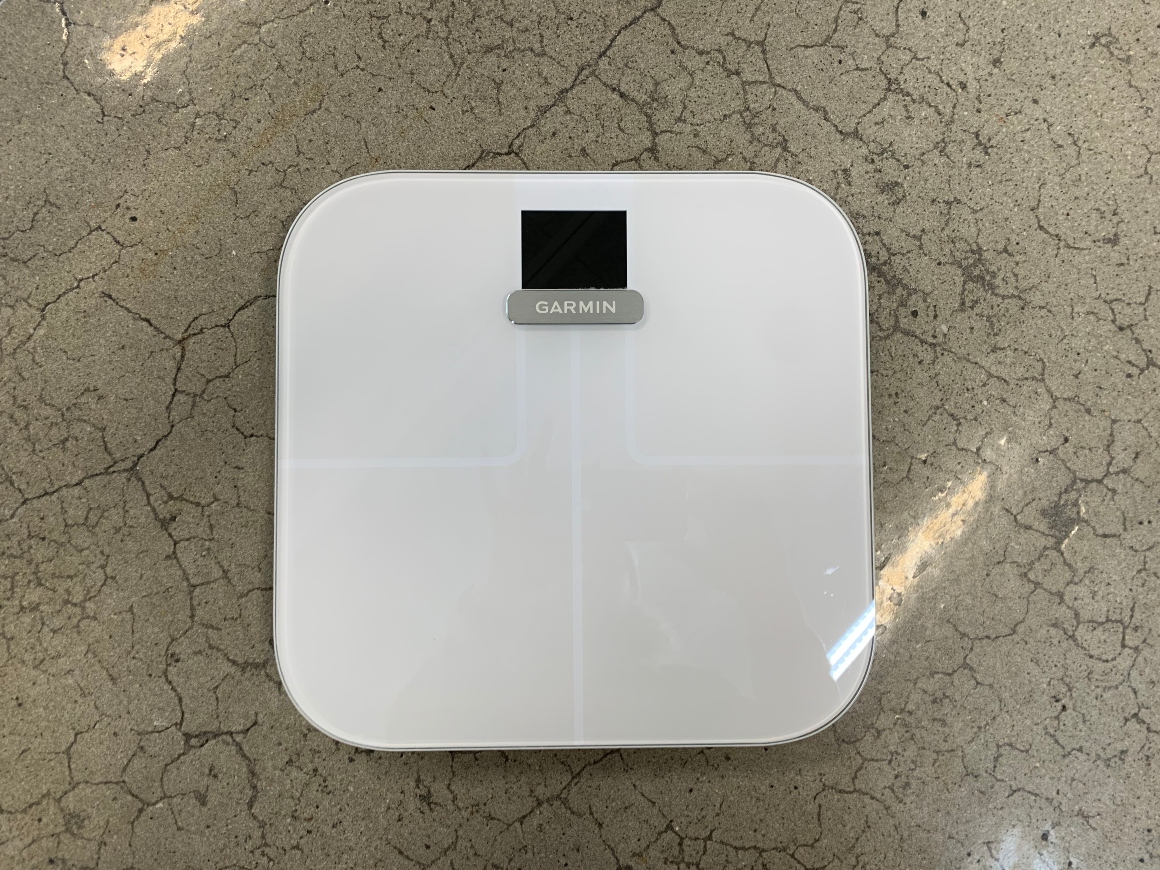

I have been testing the smart Garmin Index S2 Smart Scale for a while, which is not just an ordinary scale, but a smart scale that connects with all the other data about your current health. Perfect for those who want to keep all data in one place, namely in Garmin Connect.
For me, who is really into various data, this smart scale is just another great source to keep track of how my own health is. I think that's great.
is the successor to Index Smart Scale. Overall, both scales can largely do the same, but there are still some new features/differences in the successor. Read below:
What's new in Garmin Index S2 Smart Scale:
- New color screen
- Improved sensor sensitivity
- Connects to up to 7 different internet networks
- Physical dimensions of the scale are slightly smaller
- Switched from AA to AAA batteries
- Changed algorithms for several calculations
- View current weight relative to recent weigh-ins
- Added an overview of the last 30 days of data
What both Garmin Index Smart Scale and Garmin Index S2 Smart Scale can do:
- Measure your weight in lbs/Kg/Stones
- Measure your BMI
- Measure your body fat percentage
- Measure the percentage of water in your body
- Measure your muscle mass
- Measure your bone mass
- Support up to 16 users
- Max weight up to 181.4kg
- 9 months battery life
- Upload via WIFI.
- Available in both black and white.
SPECIFICATIONS FOR GARMIN INDEX S2 SMART SCALE
Dimensions: 320 x 310 x 28 mm. (12.6" x 12.2" x 1.1")
Weight: 4.4 lbs (2.0 kg)
Battery life: Up to 9 months, uses 4 AAA batteries (included)
BLE compatible: Yes
ANT compatible: Yes
Wi-Fi: yes, 2.4GHz
Weight limit: 400 lbs (181.4 kg)
WHAT YOU GET IN THE BOX
Index S2
4 AAA batteries
4 carpet feet
Quick guide
GETTING STARTED
It is very simple to get started with your
.
Unpack the scale and insert the batteries. Batteries are included in the box.
Now there's power, just turn on your Garmin Connect app on your phone.
Press “More” in the bottom right corner.
Then go into “Garmin Devices”.
Press “Add Device”
Your Garmin Index S2 Smart Scale will appear, press on it.
You will then receive a code to enter, and you can start up.
Your smart scale automatically takes all your pre-entered data from Garmin Connect into the scale, so make sure to enter the correct information and you're ready to use your Garmin Index S2 Smart Scale.
The next thing is to give your profile a name, so it can differentiate users. This can always be changed, so don't overthink it.
Once everything is set up, you can decide what you want to display. This is also done in Garmin Connect. I have chosen to display all data.
For the first weigh-in, step on the scale and everything will be measured.
First, it shows your weight, then the different data roll across the screen, plus you can see the outside weather.
It ends by showing your weight again.
Afterwards, return it to its place. The smart scale turns off by itself and is ready for use again the next day.
All your data can now be viewed in Garmin Connect, and it's up to you what you want to use it for.
APPEARANCE
It's nice when buying a scale, that it's easy to hide or at least looks relatively nice, which isn't always the case. But with this scale, it's quite fine. It doesn't take up much space, and in the white color I have, the Garmin Index S2 Smart Scale fits well into the room, not very visible, and can be tucked under the shelf.
The screen on the smart scale, as mentioned earlier, has become a color screen, which always makes things look nicer and visually better.
FIND THE CORRECT BODY FAT PERCENTAGE
Your body fat percentage is measured along with your weight and other data. The body fat percentage shows the percentage of fat in your body. Before measuring, adjust your activity level settings on your app (Garmin Connect) to display the correct percentage. This made a big difference for my own, as I hadn't done this initially, so remember it.
Why it's like this and what impact it has I can't explain, but it's from themselves that this info is received, as I was curious about my own body fat percentage.
You find this setting as follows:
Go to More in your Garmin Connect App.
Go to settings
Go to User Settings
Go to Activity Level and set it correctly.
You can see below where you are on the chart.

SUMMARY
In many ways, this is a scale like many others, but it's great that it gathers all your data in Garmin Connect, so you don't have to write it down. You can see how your development in terms of form correlates with your weight, etc. It's really great. I use it quite a lot. Even when injured, without a proper weight/form curve.
But it becomes even more fun to follow when I'm back in full training.
Buy Garmin Index S2 Smartscale here
More inspiration?
Find more articles in our inspiration universe.