


Fitbit Versa 3 is one of the markets best smartwatches and activity trackers, and personally, the Fitbit Versa 3 is my favourite among the models I tested. Read about the new functions and determine why you should choose Fitbit Versa 3 over models like Fitbit Charge 4 and Fitbit Sense.
Fitbit Versa 3 tracks your steps, pulse and flights of stairs taken during the day. But that is not all! The Fitbit Versa 3 has exciting features that allow for an activity tracker, GPS-watch and smartwatch, all in the same device. The Fitbit Versa 3 is ideal as a training watch and the modern day-to-day watch.

NEW FUNCTIONS FROM FITBIT VERSA 2 TO FITBIT VERSA 3
There are a lot of changes from the Fitbit Versa 2 to the Fitbit Versa 3. But it is great changes that, without a doubt, will benefit you that wants more out of your activity and training.
The big news from Fitbit Versa 2 to Fitbit Versa 3 is you get built-in GPS, meaning you can, e.g. measure distance, time and pace on your runs and walks (and several other activities).

ACTIVE ZONE MINUTES
Another new feature is Active Zone Minutes – the ideal feature for you that wants to train after pulse and pulse zones. With the Fitbit Versa 3, you earn active zone minutes when your pulse is within one of three pulse zones: fat burn, cardio and peak. For every minute your pulse is in the fat burn zone, you earn one active zone minute. Every minute your pulse is in the cardio or peak zone, you gain two active zone minutes. The accumulated active spin minutes are counted together, and the target is to reach the recommended 150 minutes of physical activity a week.
When you choose an activity, e.g. running or cross trainer, you continuously receive small vibrations from your Fitbit-watch during your training. The vibrations signal you are hitting one of three pulse zones. As a result, you can update yourself if you need to increase or decrease the workout's intensity. When you hit the different pulse zones depends on your resting heart rate and your pulse during the day. Therefore, it is good to wear the Fitbit Versa 3 around the clock for the first couple of days for the activity tracker to learn about you.
The great thing about the Active Zone Minutes function is you don’t need to start an activity on the watch to gain registered active zone minutes. The Fitbit Versa 3 measures your pulse and figures out if you, e.g. hit one of the three pulse zones on your walk to the supermarket. No workout is going to waste – neither the one you don’t perceive as a workout. I like that Fitbit’s Active Zone Minutes sets a weekly goal, and not only a daily goal. Because some days you don’t get so much activity sone as other days. But for Fitbit’s Active Zone Minutes, it doesn’t matter is you relax a bit each day or for the entire weekend.
Fitbit Versa 3 is far more smartwatch-minded due to its built-in microphone and speaker. Meaning you can answer calls from your Fitbit-watch as long as your phone is nearby and connected to the watch. The feature requires you own either an Android phone or iPhone, and the expected release for Europe is sometime during 2021.

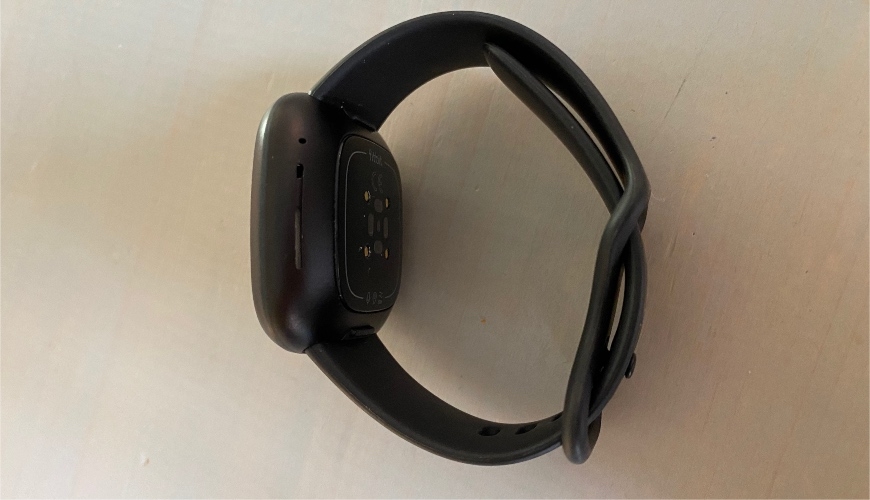
Check out other differences between the Fitbit Versa 2 and Fitbit Versa 3 in the figure below.
As seen in the figure, the Fitbit Versa 3 now has the option for voice command with Google Assistant (besides Amazon Alexa). The feature is still new and is therefore not available in most countries. Check out the list of countries where Google Assistant and Amazon Alexa are available.
FITBIT VERSA 3 - BATTERY LIFE
The Fitbit Versa 3 has a battery life of 6 days. It is the same time as the Fitbit Sense, which you consider as Fitbit’s best watch - looked in comparison to how many advanced features it has.
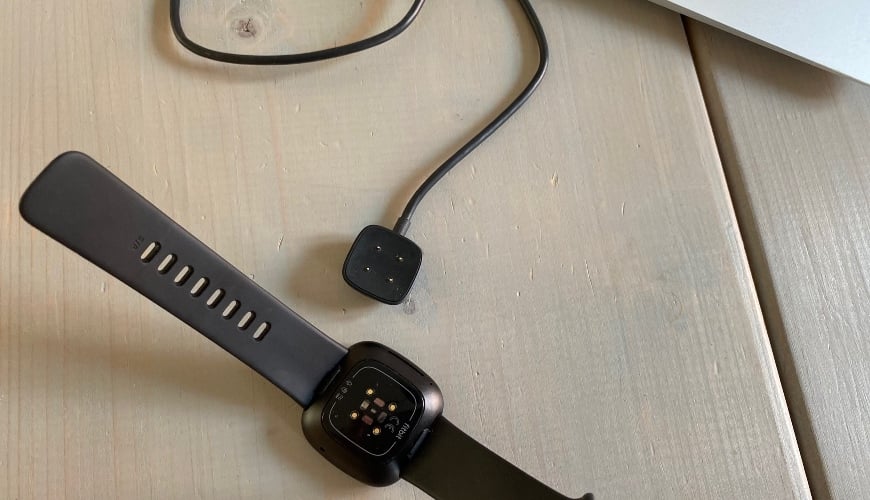
Moreover, the Fitbit Versa 3 has a new charging cable (the same type as Fitbit Sense) – and it is kicks ass! Within an hour, you get a full charge, so you can appropriately handle, while in the shower or doing the dishes, not wearing a watch on the arm.


BUILT-IN GPS
Unlike the Fitbit Versa 2, the Fitbit Versa 3 now has built-in GPS – a feature introduced with the launch of the Fitbit Charge 4 and other models since then.
The GPS-feature works excellent and provides you with the most basic data. Are you a dedicated runner that wants to track how your shape improves over time, I recommend a Garmin Forerunner GPS-watch instead.
Moreover, the Fitbit Versa 3 has an excellent connection during the run and only takes a little extra time to find the satellites the first time activating the GPS-function.
The first time I tested Fitbit’s GPS-feature was during my test of the Fitbit Charge 4. Back then, it annoyed me the display wasn’t bigger due to the size of the data on the display, and they're hard to read during a run. In such a situation, I prefer the Fitbit Versa 3 (or Fitbit Sense for its sake) because the display is bigger and clearer than the Fitbit Charge 4.
A tip that helped me is setting the display to always-on. You can now always see the distance, time and pace during the run. If I haven’t turned the feature on, the screen turns off, and I need to activate it myself when I want an update – which can be a hassle dealing with when you want to concentrate on running.
You set the display to always-on by swiping right and pressing the image of the watch face. You do the same when turning off the always-on feature.
OXYGEN SATURATION (SpO2)
With the Fitbit Versa 3, you can measure your oxygen saturation (SpO2).
The oxygen saturation preferably lies as close to 100% as possible. The SpO2-percentage is calculated from your breathing and oxygen uptake during the night and requires you to wear the watch a couple of consecutive nights to provide a precise measurement.
To measure and track your oxygen saturation, you need to download a particular watch face in the app to have it visible on your watch.
Open the Fitbit app > In the Today-tab, click on your profile icon in the top left corner > Click on the image of your Fitbit-unit > Click on Clock Faces > Click on All Clocks – then you should see it and able to download it. If not, you can search SpO2 by clicking on the loop in the top right corner.
The SpO2-watch face drains the battery faster than a regular watch face, but I haven’t at one point thought the Fitbit Versa 3 discharged too quickly.
SLEEP STAGES AND SLEEP SCORE
I mentioned it before and will again – Fitbit’s sleep analysis is the most precise of its kind when it comes to smartwatches and activity trackers. Even though you need Fitbit Premium for an in-depth analysis of your sleep and tips for how you improve your sleep, you get a ton of information gifted from the Fitbit app alone.
Fitbit Versa 3 tracks how long you spend in the various sleep stages (awake, light sleep, deep sleep, REM-sleep) and based on that, it calculates a sleep score. The higher the sleep score, the better the sleep.
Also, you can check how you statistically score compared to other people your age.

Even though you don’t have Fitbit Premium, you can quickly learn from the data. The Fitbit registered I slept significantly worse when I, e.g. drank alcohol or slept very little. Already there, it is easy to make adjustments if you want to optimize your sleep and overall health.
If you want to read more about Fitbit’s sleep stages and sleep score, check out my review of Fitbit Charge 4 and Fitbit Sense.
We are constantly told to workout and eat healthy and varied to live a healthy lifestyle. But it is important to state that sleep has a massive impact on your health. It is during sleep your body restitute, and a bunch of regenerative processes occur.
One time I didn’t receive a sleep score for my nights' sleep. It was due to the Fitbit Versa 3 couldn’t track a continuous pulse while I was sleeping. It could be because I wore the watch strap too loose around my wrist.

Fitbit Versa 3 has an Infinity-strap.
In general, I loosen the strap a bit when sleeping or walking around during the day, allowing my skin to get some air while I tighten the strap a little extra during a workout to ensure the Fitbit Versa 3 can find my pulse.
COMPARISON – FITBIT VERSA 3 VS. FITBIT SENSE
On the outside, the Fitbit Sense and Fitbit Versa 3 is almost identical. The only exception is that the Fitbit Sense has a grey-ish watch case in stainless steel, while the Fitbit Versa 3 comes in a completely black version.
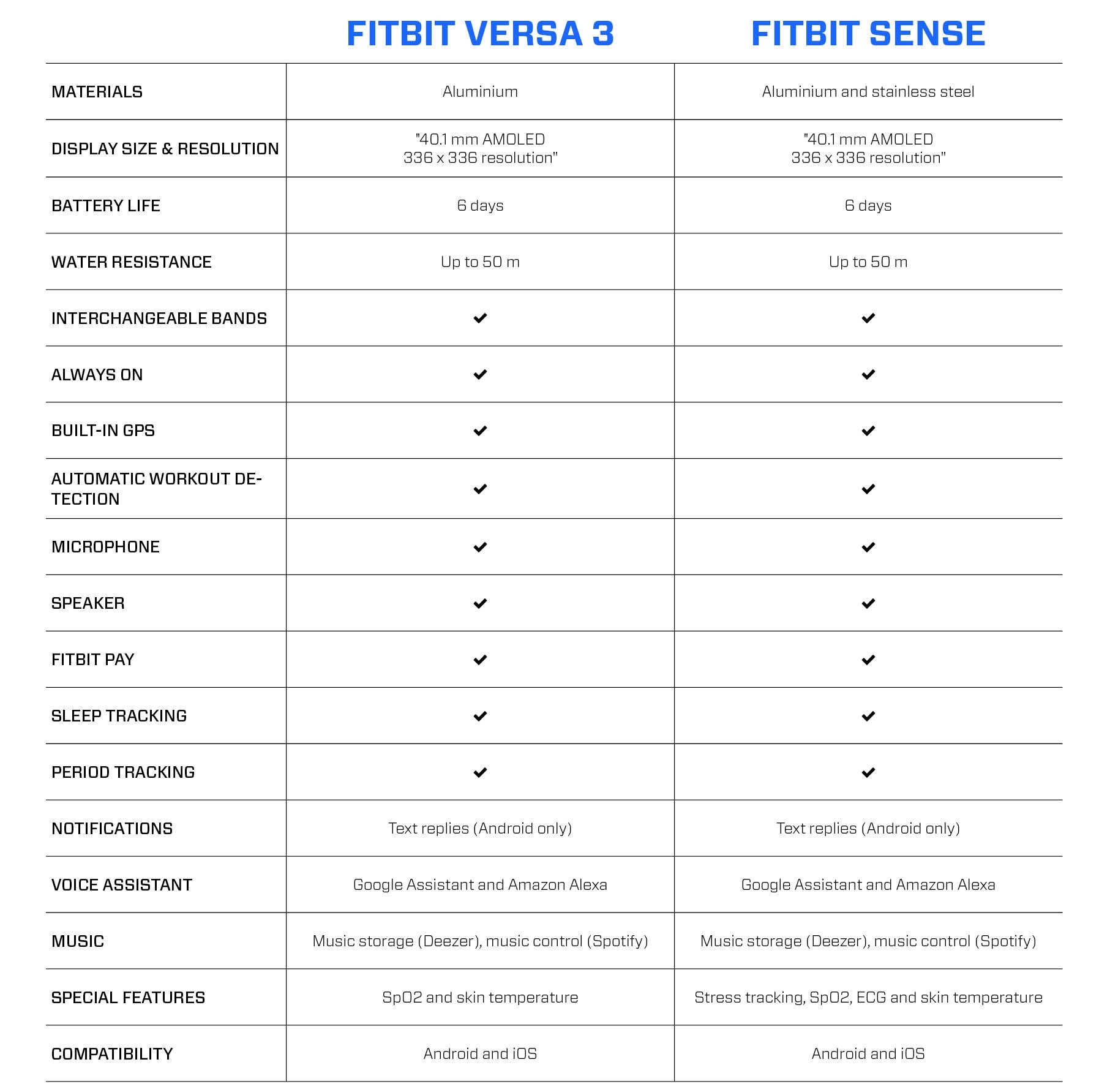
The difference between the Fitbit Sense and Fitbit Versa 3 is that the Versa 3 doesn’t focus on stress measuring, heart rhythm and temperature sensor.

For me, it doesn’t mean the world. While it was fun and exciting to track stress level and mental well-being when testing the Fitbit Sense, it isn’t something I actively continued doing afterwards because I don’t feel the need for it. But it is obvious that if you think stress levels and mental well-being is exciting, and if you practice it daily, the Fitbit Sense is no doubt the best match for you.
OTHER FEATURES
Read about some of the new features the Fitbit Versa 3 offers.
Several activity profiles
Exercise like hell with 20+ activities, including running, cycling, swimming, pilates, cross trainer, with more.
Automatic workout recognition
With automatic workout recognition, the Fitbit Versa 3 can recognize an activity (running, walking, biking) and track the workout with the GPS working in the background. The activity renders in the Fitbit app.
Find my phone
If your Fitbit-watch is connected to your phone, you can check your phone's location using the watch if you misplaced it and can’t find it.
Fitbit apps
Download tons of apps via the Fitbit app, ensuring loads of fun and entertainment. You can download all sorts of training tips, workouts and dietary information.
Fitbit app and Fitbit Premium
Access your data day and night through the Fitbit app. Here you can analyze most of it. If you want even more out of it, e.g. advice for better sleep, you can pay for a Fitbit Premium membership.

Fitbit Pay
Pay for your purchases on the go using your Fitbit-watch. You can check out a list of banks that support Fitbit Pay here.
Storage and playback of music
With the Fitbit Versa 3, you can store and play songs via the music service Deezer while controlling Spotify playlists on your phone via the Fitbit-watch.
Menstrual cycle
Track your menstrual cycle and check out, e.g. when your menstruation is set to start or when you are the most fertile (based on the options you stated in the app).
Personal reminders
Receive reminders about moving, remembering your bedtime or drinking water. The Fitbit Versa 3 helps you maintain your routines and, as a result of this, a healthy lifestyle.
Pulsevariations
It is the amount of time between each heartbeat. Sudden changes could indicate stress, disease or tiredness.
Sleep Mode
When Sleep mode is activated, the Fitbit Versa 3 is in silent mode, and you won’t receive notifications from incoming messages or reminders.
Smart Wake
With Smart Wake, you set your bedtime and when you usually wake up in the morning. The Fitbit Versa 3 wakes you up at the optimal time of your sleep, around the set waking time.
Smartwatch-notifications
Receive notifications from incoming calls, messages and reminders on your watch. It allows you to keep your phone in your pocket or the bag and quickly assess if you want to react to the incoming messages right here and now.
Water resistance
The Fitbit Versa 3 is water-resistant, down to 50 meters in depth. You can, without worrying, bring your Versa 3-watch to the swimming pool, the shower or the beach.
Breathing rate
The Fitbit Versa 3 automatically track your breathing rate when you sleep to get a better view of your overall health and the opportunity to detect sudden changes to your breathing. Check out your average breathing rate (under sleep) in the Fitbit app.
Breathing exercises
Take some time to yourself with some guided breathing sessions. It benefits your mental well-being and gives you extra peace of mind and overview in the day-to-day. Follow the instructions on the screen and enjoy short meditations of 2-5 minutes duration. The breathing exercises gets tailored to you based on your pulse.
VO2 max (cardio fitness)
With the help of your pulse, the Fitbit Versa 3 calculates your VO2 max (or cardio fitness, as Fitbit calls it). The higher the VO2 mod, the better the shape.

Workout Intensity Map
Check out the different pulse zones you shift between during your workout. You can check out the overview inside the Fitbit app.
WHY YOU SHOULD BUY THE FITBIT VERSA 3
The Fitbit Versa 3 is a functional activity tracker and smartwatch for you that wants something a little more extra than what the usual activity tracker offers. You get longer battery life, built-in GPS, over 20 activities and a whole bunch of health and smartwatch features.
In my opinion, the Fitbit Versa 3 is the best match for most people that want a modern smartwatch and activity tracker all in one device. It is personally the model from Fitbit I like the most. Even though I tested the Fitbit Sense, which is a more expensive and advanced model. It is the tiniest things and a matter of preference that determines if you want a Fitbit Sense or Fitbit Versa 3.
I am interested in steps, puls, GPS, and sleep score, and the Fitbit Charge 4 or Fitbit Versa 3 gets me that.
If the choice is between the two, I prefer the smartwatch-look that the Fitbit Versa 3 has. Naturally, it is a matter of taste if you are to the classic slim activity tracker (e.g. Fitbit Charge 4) or wants a watch like Fitbit Versa 3 with a bigger display.
More inspiration?
Check out other articles in our inspiration universe right here: